> ## Documentation Index
> Fetch the complete documentation index at: https://docs.autoadify.com/llms.txt
> Use this file to discover all available pages before exploring further.
# Make videos
> Animate a product photo, or describe a shot and render it, with sound.
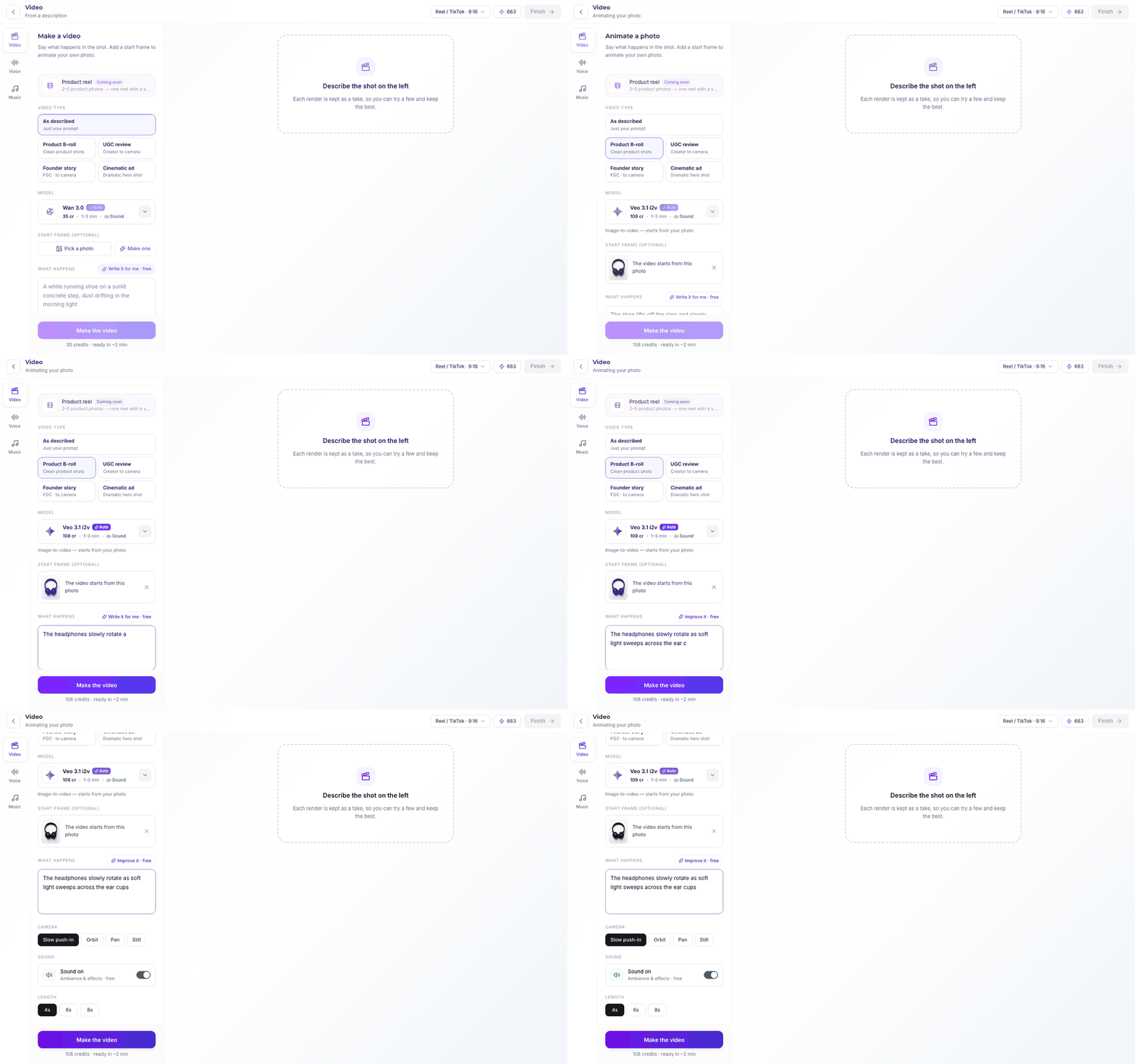
Pick a video type, add your photo as the start frame and say what happens. Camera, sound and length are below; the button shows the price.
## Get started
**1. Open the video tool**
In **Studio**, choose **Video**, or click a card such as **Reel from a photo**, **Product spin** or **Ad teaser**.
**2. Pick a video type**
Choose what kind of video you want (see below). Studio picks a model that suits it.
**3. Add a start frame (optional)**
Click **Pick a photo** under **Start frame** and the video starts from that exact photo. No photo yet? **Make one** generates it first.
**4. Say what happens**
Describe the motion, for example *The shoe lifts off the step and slowly rotates as dust drifts in the light*.
**5. Choose camera, length, size and sound, then render**
Click **Make the video**. The button shows the price (for example 35 credits) and time (1–3 minutes). You can keep working; the video appears under **Takes**.

The video tool
## Examples
Real results from **Animate**: one store photo in, a 5-second clip out, no prompt typed. Describe the motion if you want something specific.

Store photo
After Animate: slow push-in as the light shifts

Store photo
After Animate: the pair lifts and floats
## Video types
| Type | Best for | Starts from |
| - | - | - |
| As described | Anything; uses just your prompt | From 10 credits |
| Product B-roll | Clean product shots, spins, reveals | From 10 credits |
| Cinematic ad | A dramatic hero shot for an ad | From 10 credits |
| UGC review | A creator talking to camera about your product | From 45 credits |
| Founder story | You (the founder) talking to camera | From 45 credits |
UGC and founder videos come with a starter script. Replace the parts in \[brackets] with your own product and words.
## Options
| Option | Choices |
| - | - |
| Camera | Slow push-in, Orbit, Pan, Still |
| Size | Reel / TikTok (9:16), YouTube Short (9:16), LinkedIn video (16:9), X video (16:9) |
| Length | Depends on the model; the price is per second |
| Sound | Ambience and effects are free. Talking types include the spoken lines. |
## Tips
* **Animate your own photo** rather than describing your product from scratch; the product looks exactly right.
* **One action per clip.** "Rotates slowly" works better than "rotates, then flies away, then explodes".
* **Photos with people:** some video models refuse them. Studio warns you and suggests a model that accepts them.
* **Want music or a voiceover on top?** Make them in [Voice and music](https://docs.autoadify.com/help/features/studio/voice-and-music.md).
> [!NOTE]
>
> Product reels (one reel from 2–5 product photos) are coming soon.
This documentation is built and hosted on [Mintlify](https://mintlify.com), a developer documentation platform.