

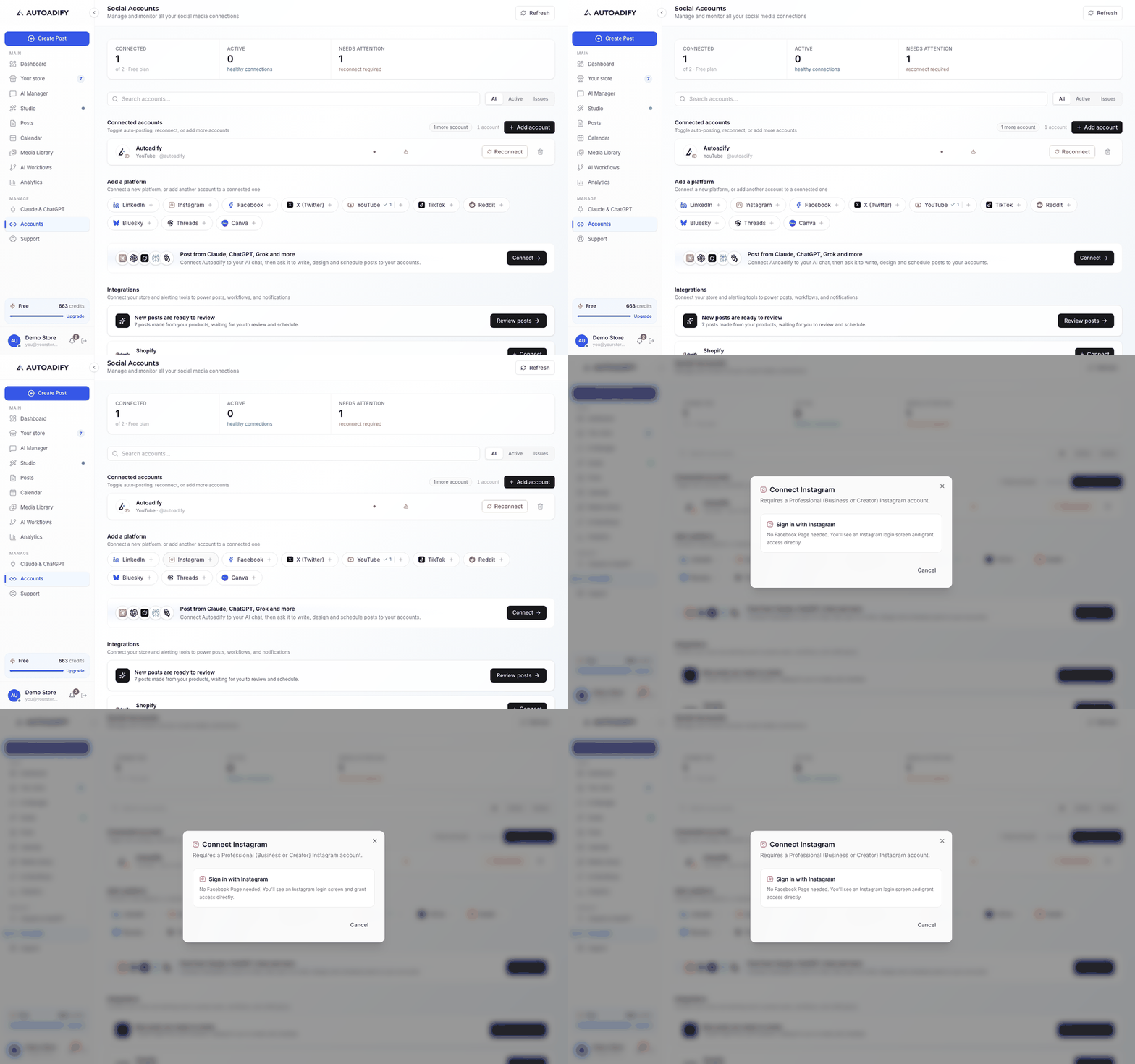
Connecting Instagram
Get started
1
Open Accounts
Click Accounts in the sidebar.
2
Pick a platform
Click the platform and sign in on its screen.
3
Approve the permissions
Leave every permission ticked. We only use them to post and read your post stats.
4
Done
You’re back on Accounts with the account connected.
Before you connect each platform
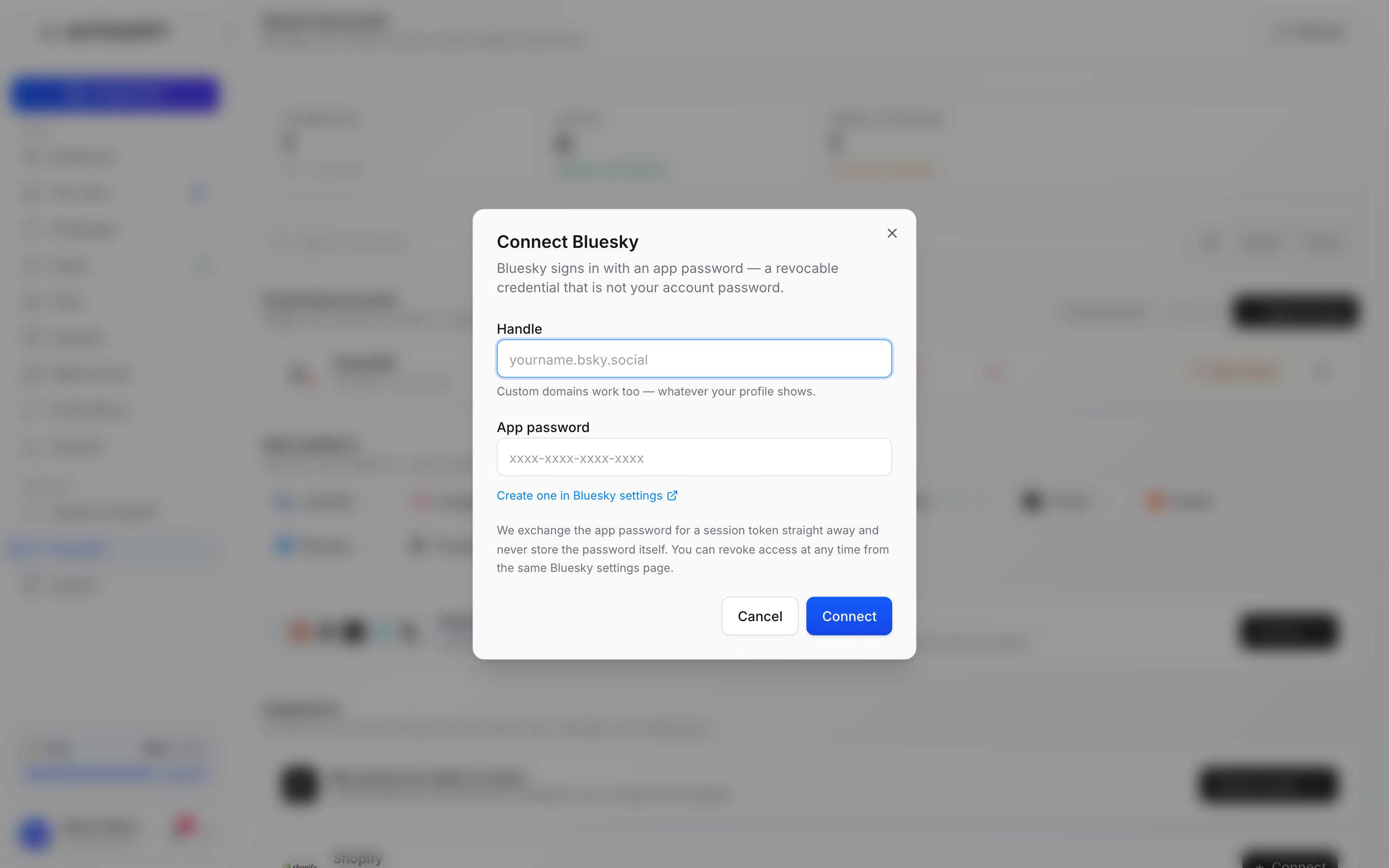
Connecting Bluesky with a handle and app password
Manage your accounts
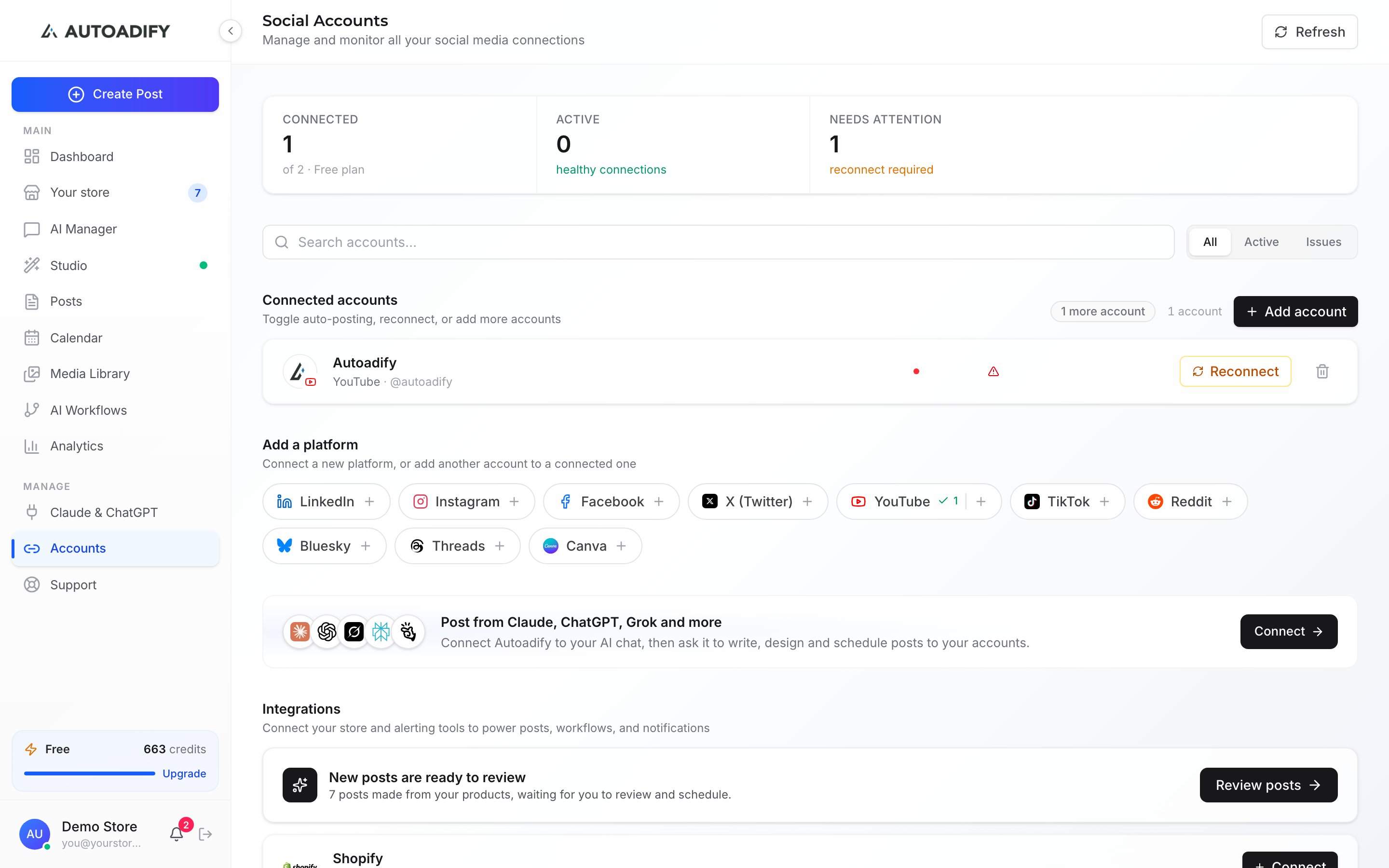
The Accounts page
- Reconnect required means the platform signed us out. Click Reconnect; your scheduled posts are kept.
- Automated posting defaults on each account set the options used when the AI or a workflow posts for you, such as TikTok privacy.
- Disconnect warns you first if the account still has scheduled posts.
Your plan sets how many accounts you can connect. See Plans and credits.