

- Trigger (when it runs): every day at 10am, or whenever a new product goes live in your store.
- Steps (what it makes): a caption, an image or video, hashtags, a translation.
- Publish (where it goes): your accounts, right away, after a delay, at a fixed time, or as a draft for you to check.
Triggers
Schedule, random product, new product in Shopify, WooCommerce, Wix or Square, and Monitor post (when a post takes off).
Steps
Captions, images, videos, your media library, hashtags, translation, publishing.
Recipes
Ready-to-copy workflows: daily AI engagement post, random library post, product of the day (photo or animated video), new-product auto-post, and alerts when a post takes off.
Two ways to build one
Click AI Workflows in the sidebar, then New workflow.Build with AI
Describe what you want in plain words and the AI builds the steps for you. Check them, adjust anything, then activate.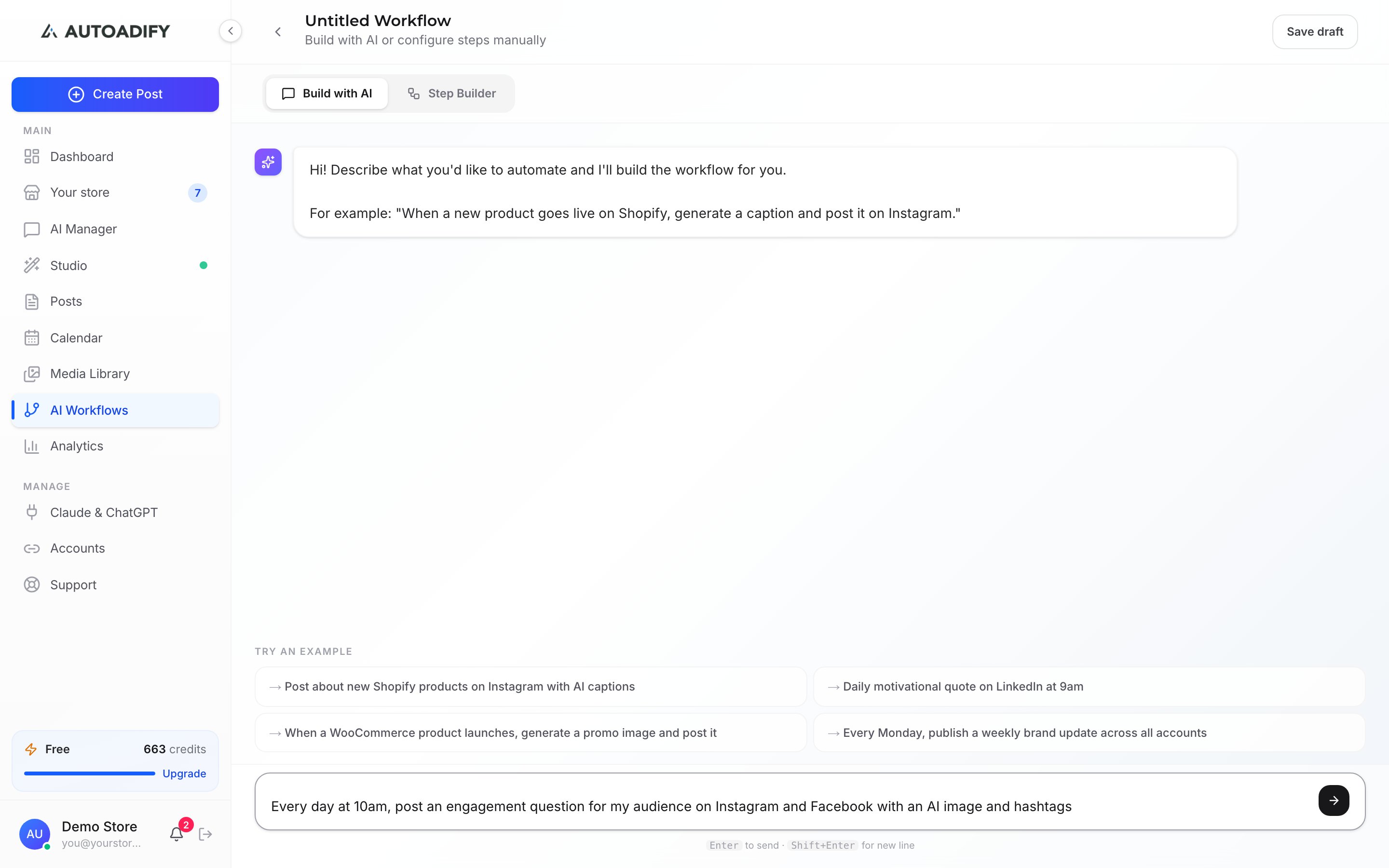
Build with AI: describe the workflow in one sentence
- Every day at 10am, post an engagement question for my audience on Instagram and Facebook with an AI image and hashtags.
- When a new WooCommerce product launches, write a caption, use its photo and post it to Instagram.
- Every Monday, publish a weekly brand update across all my accounts.
Step Builder
Start from a template (Weekly Brand Update, Product Launch, Daily Inspiration) or a blank workflow, and set each step yourself. Click any step to open its settings on the right; click + between steps to add one.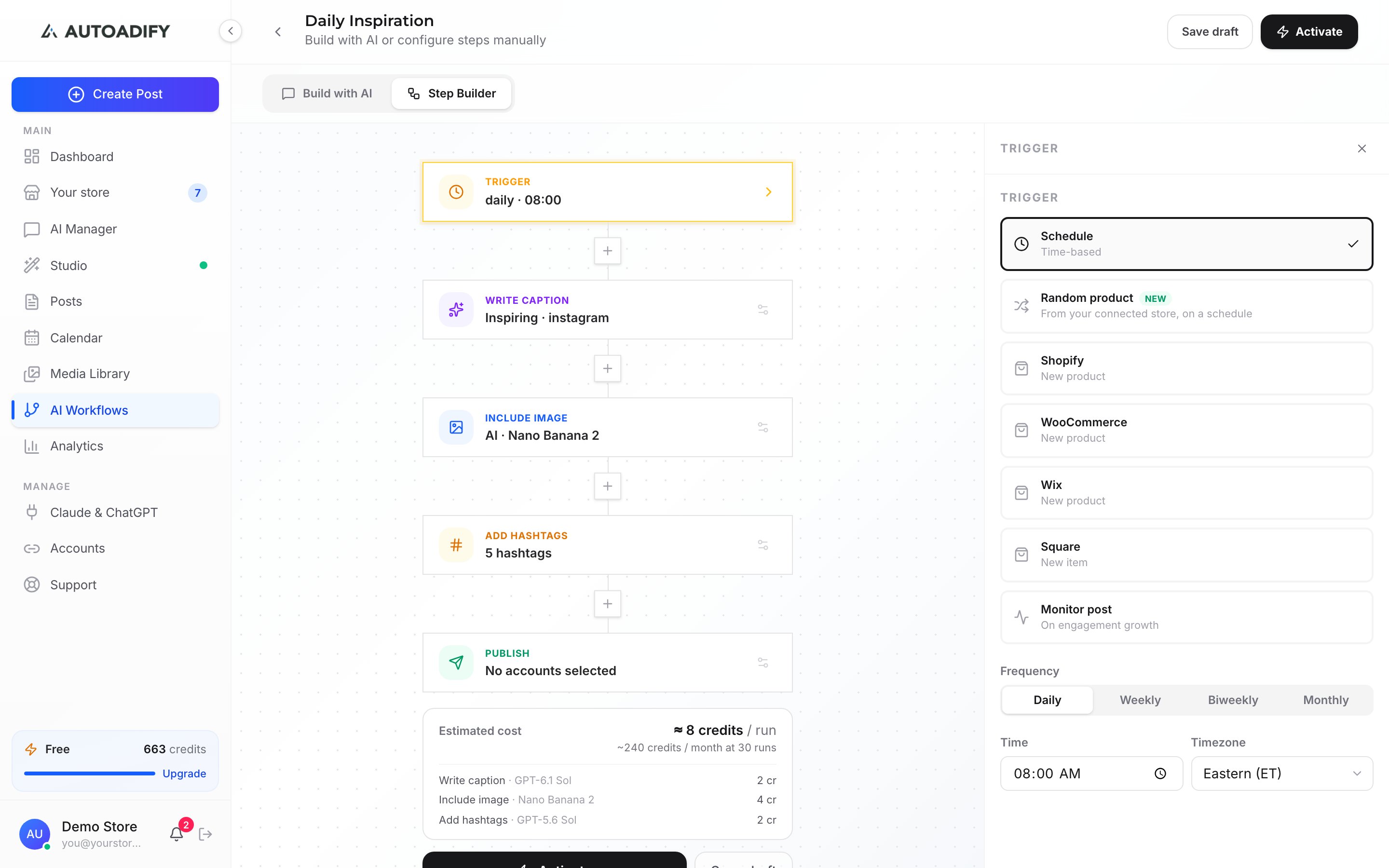
The Step Builder with the trigger open
Cost, testing and switching on
- Estimated cost under the steps shows credits per run and per month, step by step. Publishing and plain-text steps are free.
- Save draft keeps it switched off. Activate turns it on.
- Every run is logged under AI Workflows → Your workflows with what it made and where it posted. Toggle a workflow off at any time.
Your plan sets how many workflows you can have: Free 1, Solo 2, Pro 5, Team 20. See Plans and credits.