

1. Daily engagement post, fully AI-generated
A fresh question, tip or poll every day, with its own image. Nothing to prepare.Build with AI: Every day at 10am, post an engagement question for my audience on Instagram and Facebook with an AI image and hashtags.
2. Random post from your media library
Turn the photos and videos you’ve uploaded into a steady stream of posts, each used once.Build with AI: Every Tuesday and Friday at 6pm, post a random unposted photo from my library to Instagram with an AI caption and hashtags.Upload a batch of photos to your Media Library first. When every photo has been used, the run stops and tells you, so upload more.
3. Product of the day
Feature a different product from your store every day, with its own photo.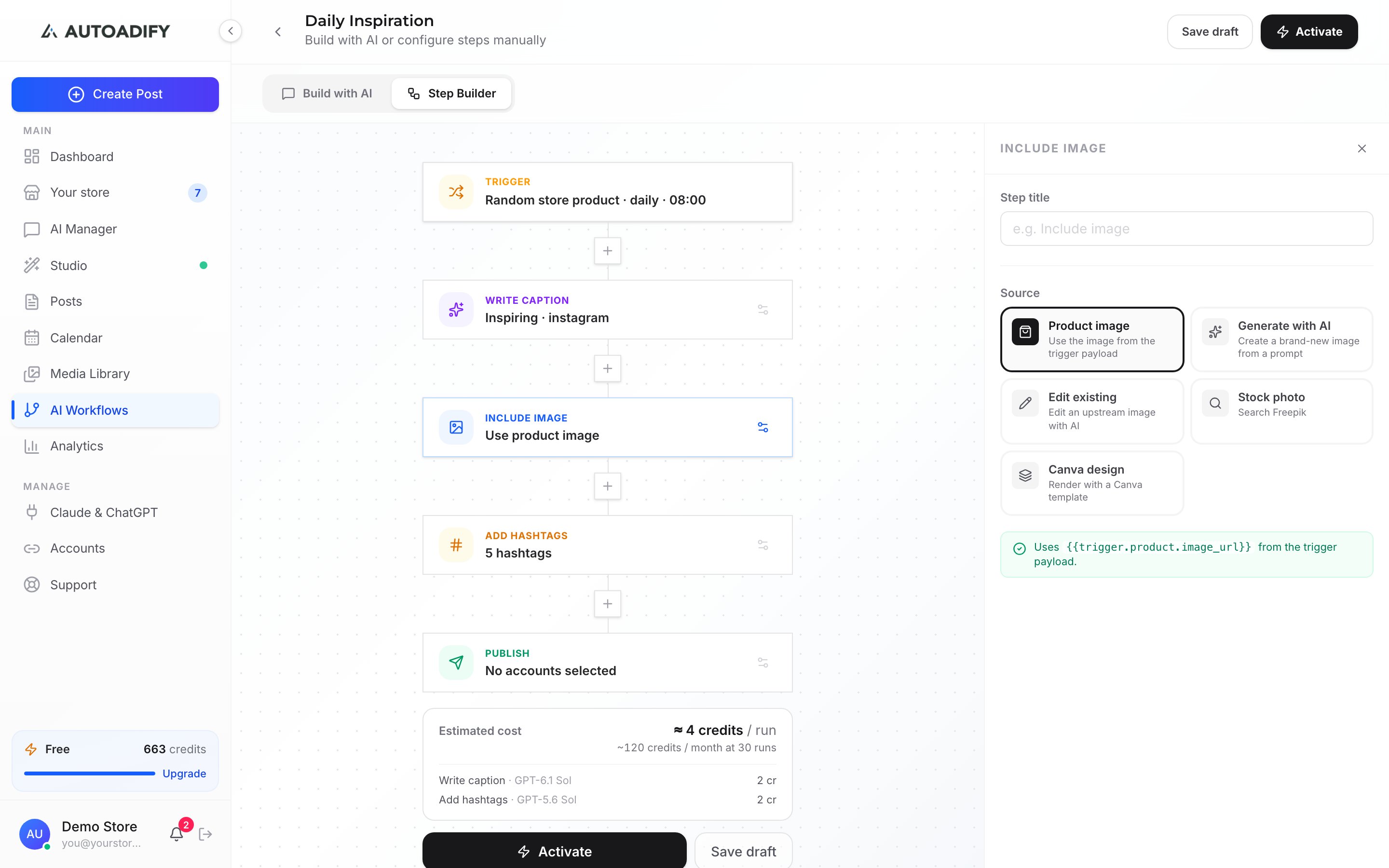
Product of the day: Random product trigger, caption about the product, and the product's own photo
Build with AI: Every day at noon, feature a random in-stock product from my store on Instagram and Facebook with its photo and an AI caption.Want it in a new setting instead of the plain store photo? Add Include image → Edit existing after the product image with Place the product on a [kitchen counter / city street / beach].
4. Product of the day as a video
Same as recipe 3, but the product photo is animated into a short clip for Reels, TikTok and Shorts.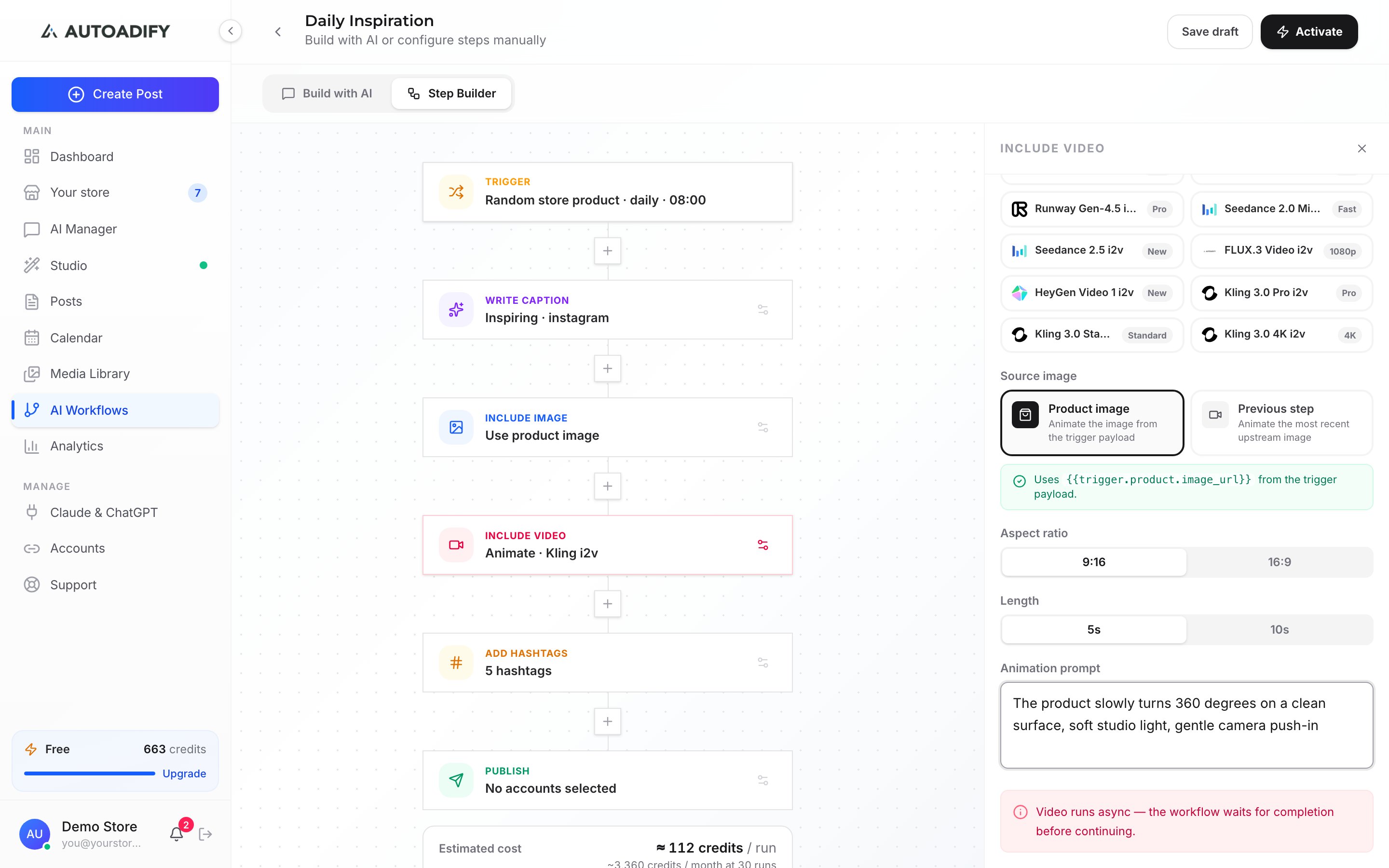
Include video: animate the product image into a 9:16, 5-second clip
Build with AI: Every day at 6pm, pick a random in-stock product from my store, animate its photo into a 5-second vertical video and post it to Instagram and TikTok with an AI caption.
5. Auto-post new products (Shopify, WooCommerce, Wix, Square)
Every new product gets a launch post the moment it goes live.Build with AI: When a new product goes live in my Shopify store, write a launch caption, use the product photo and post it to Instagram an hour later.Use the matching trigger for your store: WooCommerce, Wix or Square work the same way.
6. New product as a video
Same as recipe 5, but as a Reel or TikTok.7. Weekly brand update
8. Same post in two languages
Add Translate after the caption and a second Publish step for your other-language accounts. Example: Write caption → Publish (English accounts) → Translate to Spanish → Publish (Spanish accounts).9. Alert me when a post takes off
Get an email and an in-app notification when one of your posts suddenly gets attention, so you can reply to comments while people are still looking.Build with AI: Watch my latest Instagram post and alert me when it gets 25 more likes or comments within 6 hours.
10. Follow up a post that’s doing well
When a post takes off, draft a follow-up so you can ride the momentum.Tips for every recipe
- Start with Save as draft for the first few runs, check the posts, then switch to Immediately.
- Keep prompts specific: who it’s for, what to say, what to ask readers to do.
- Watch the Estimated cost under the steps before you activate.