

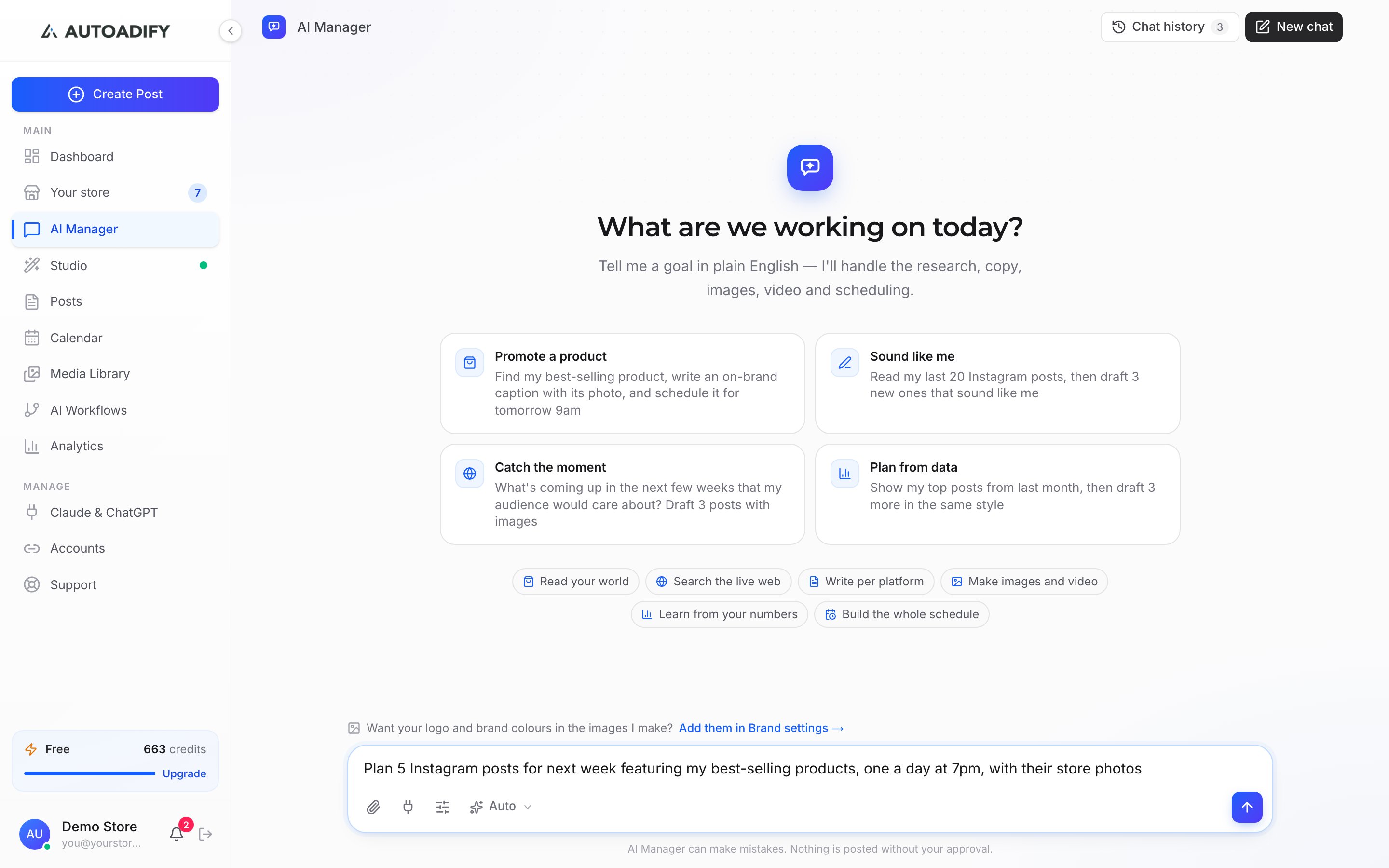
The AI Manager with a request typed in
Get started
1
Open AI Manager
Click AI Manager in the sidebar. Click New chat to start fresh.
2
Ask for something
Type a request, or click one of the four starters: Promote a product, Sound like me, Catch the moment, Plan from data.
3
Review
It shows you the posts (captions, images, times, platforms) before saving anything.
4
Approve
Click Save all as drafts or Schedule all, or approve the single post. Nothing is published without your OK.
Prompt library
Copy-paste requests for every job.
Content plans
A week or month of posts in one go.
Chat settings
Brand, playbook, web search, models, tools.
What it can do
What needs your approval
Each of these shows an Approval required card. Read it, then Approve or Reject.
For paid images and videos, it tells you the credit cost first, for example “I can animate this photo into a 5-second Short for 10 credits”. Say keep costs low at any point and it switches to free or cheaper models for the rest of the chat.
Limits
Images take 30–60 seconds and videos 2–5 minutes. Keep chatting while they render; they appear in the chat when ready.