

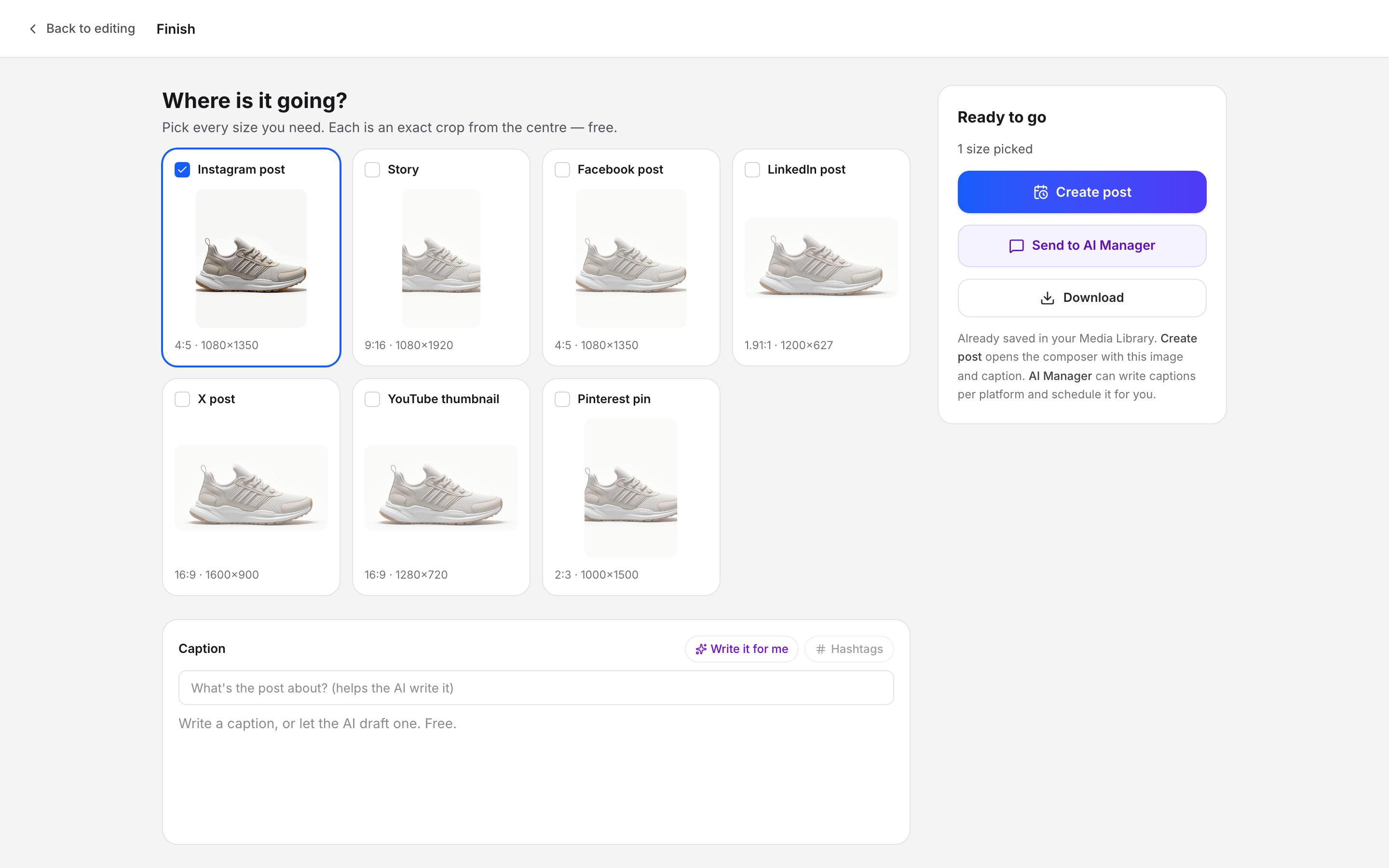
The Finish screen
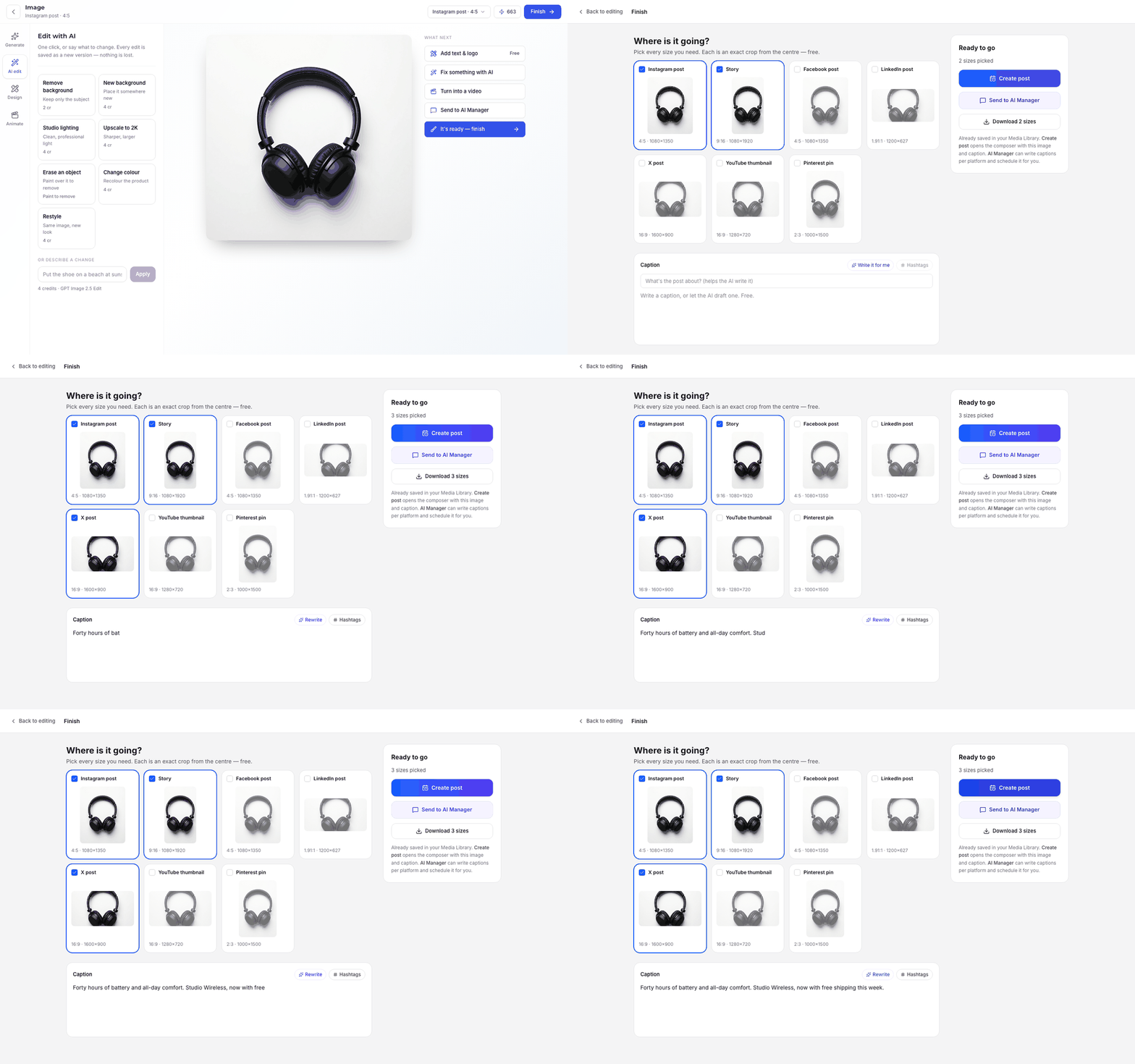
Tick every size you need, write the caption, then Create post
Get started
1
Pick every size you need
Each size is an exact crop from the centre, and free.
2
Write the caption
Type it, or say what the post is about and tap Write it for me. Tap Hashtags for suggestions. Both are free.
3
Choose what happens next
Create post opens the composer with the image and caption. Send to AI Manager has it write a caption per platform and schedule at the best times. Download saves the files.
Image sizes
Everything you make is already saved in your Media Library, so you can come back to it later.