

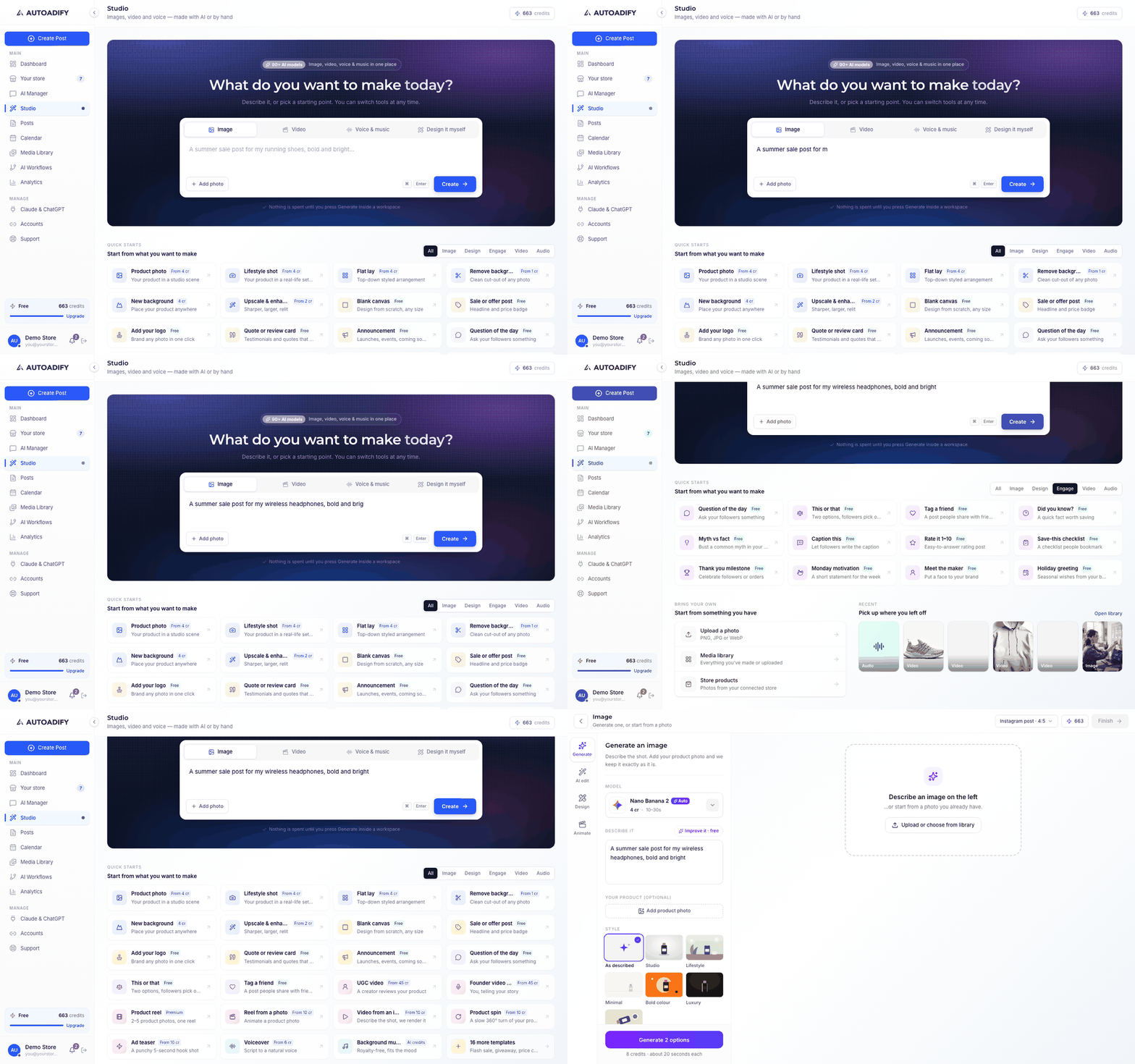
Describe an idea on Studio home, browse the quick starts, then Create opens the right tool with your words filled in
Generate images
Product photos, lifestyle shots and flat lays from a description. From 4 credits.
Edit photos
Remove backgrounds, new scenes, relight, upscale, erase, recolour. From 1 credit.
Design it yourself
27 templates, AI headline ideas, text effects, stickers and your logo. Free.
Make videos
Animate a photo, product B-roll, UGC and founder videos. From 10 credits.
Voice and music
Voiceovers in 8 voices and royalty-free background music. From 6 credits.
Finish and post
Crop to every platform size, write the caption, post. Free.
How Studio works
- Describe it in the box at the top, or click a quick-start card. Cards fill in a good starting prompt for you.
- Generate. Nothing is charged until you press the generate button inside a tool.
- Try a few. Every result is kept as a take or version, so you can compare and keep the best.
- Finish. Click Finish to crop for each platform, write a caption, and create a post or hand it to the AI Manager.
Good to know
- Credits. Your balance shows in the top right. Failed generations are refunded automatically.
- Your product stays your product. When you add a product photo, Studio uses an edit model that keeps the product exactly as it is.
- Models. Studio picks the best model for each job (shown on the model chip). You can switch it; the price updates.
- Brand. Save your logo, colours and fonts under Settings → Brand and they appear in every design.